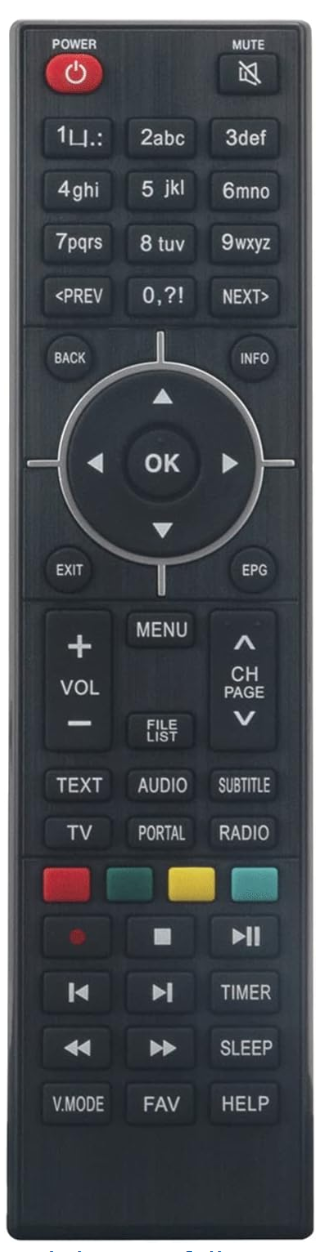
📺 All shortcuts below should be pressed from the Home screen — this is the boot logo, black screen, or a channel playing. They will not work correctly from inside a menu.
Blue
Button

Xtreamity

Opens Xtreamity — mostly used for VOD (Video on Demand) and Catch Up content. Press the Blue button from the home screen to launch it directly.

Yellow
Then
Green
Button

Update Playlist

Refreshes your channel list with the latest playlist. Press Yellow first, then Green to confirm and run the update. Use this if channels are missing or the EPG needs refreshing.

?
Help Button

VPN Controls

Opens the VPN control panel directly from the home screen. Use this to connect, disconnect or change your VPN location quickly without navigating through settings menus.

Red
Button

Speed Test

Runs a speed test on your connection directly from the home screen. Useful for checking your internet speed or confirming your VPN connection is working correctly.